
Table of Contents
Introduction
Seeing an empty review dashboard on your Google Business Profile can be incredibly frustrating, and you’re not alone thousands of business owners are in the same boat. An empty review section not only shakes customer trust but also hides valuable feedback that could help your business grow.
In this guide, we’ll dive into the reasons why your Google Business review dashboard might be blank and offer practical solutions to get it back on track.
What Is a Google Business Profile Review Dashboard?
The Google Business Profile review dashboard is a special area where you can see customer ratings and written reviews all in one place. It acts as your command center for keeping an eye on feedback, responding to customer comments, and tracking how your business is perceived.
When everything is working as it should, you’ll see your business profile rating and the number of individual reviews in real-time.
Key Features
- Review aggregation and display
- Response management tools
- Rating analytics
- Customer feedback tracking
- Reputation monitoring
Not getting enough Google reviews or local leads?
Learn how to optimize your Google Business Profile, improve local SEO, and attract more customers with practical training. Attend our FREE Digital Marketing Demo Class in Pune.
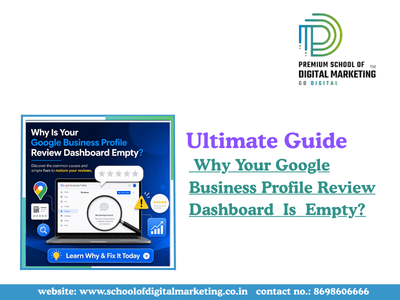
Why Is Your Google Business Profile Review Dashboard Empty?
To fix the issue, it’s crucial to understand what’s causing it. Here are a few common reasons why your review dashboard might be empty:
1. Incomplete Profile Setup
If your Google Business Profile isn’t fully set up, the review section won’t activate properly.
Missing details like your business address, phone number, or service categories can prevent the review dashboard from showing up.
2. Cache and Data Synchronization Issues
Sometimes, Google’s servers cache outdated information about your profile.
This can lead to an empty review section even if there are reviews waiting in the system.
Browser cache issues can make this problem even worse.
3. Review Policy Violations
If you violate Google’s review policies, your review dashboard may be hidden automatically.
This can happen due to fake reviews, duplicate profiles, or any manipulative practices aimed at generating reviews.
4. Account Restrictions or Suspension
If your business account is under scrutiny for review manipulation, you might face temporary restrictions on your review dashboard, leading to that frustrating empty appearance.
5. Browser-Specific Display Errors
Outdated browsers or corrupted cookies prevent proper loading of the review management section in your Google Business profile.
Want to rank higher on Google Maps and get more customer reviews?
Our Digital Marketing Course in Pune teaches proven Local SEO strategies, reputation management, and Google Business Profile optimization. Attend a FREE Demo Class today.
People Also Ask (PAA)
How Do I Enable the Review Dashboard on My Google Business Profile?
To get your Google Business review section up and running, make sure your profile is fully completed, that you’ve enabled review acceptance, and then give it about 24 to 48 hours for everything to sync up. If your profile is still pending verification, go ahead and submit it.
Just remember to follow Google’s review policies, as any incomplete info or policy breaches can stop the dashboard from activating.
Why Are My Google Business Reviews Not Showing?
If your Google Business Profile reviews are missing, it could be due to an incomplete profile setup, active policy violations, account suspension, or even some caching issues on the system. Double-check that your profile meets all the necessary requirements, hasn’t broken any review guidelines, and is verified by Google.
It might also help to clear your browser cache and be patient while the data syncs across Google’s servers.
Can I Restore a Deleted Review Dashboard?
If your review section has disappeared, it’s usually because of account suspension or policy violations, not because it’s permanently deleted. You can submit an appeal through Google Business Profile support, provide any necessary documentation showing you’re in compliance, and then wait for a manual review.
Most restrictions are lifted within 7 to 14 days if you’ve addressed the violations.
What Does an Empty Google Business Profile Review Dashboard Mean for My Business?
Having an empty review dashboard means you’re missing out on valuable customer social proof, which can hurt your SEO rankings, click-through rates, and visibility in local searches. Customers are often hesitant to engage with businesses that don’t have visible reviews, which can directly affect your conversion rates and how you stack up against competitors in local search results.
Introducing School of Digital Marketing Excellence
At the School of Digital Marketing, we pride ourselves on being a top-notch institution for those eager to become marketing wizards.
Our focus is on mastering Google Business profiles, local SEO, and reputation management.
Our comprehensive curriculum dives into everything from optimizing profiles and crafting effective review strategies to conducting competitive analyses and managing crises. With our professional certifications, you’ll be equipped to tackle tricky platform challenges, like that pesky empty review dashboard issue, with confidence.
Our expert-led courses seamlessly blend theory with hands-on practice, so you’ll be ready to face real-world situations head-on.
Prevention: Best Practices for Keeping Your Review Dashboard Active
Proactive Strategies
- Keep an eye on your profile – Check your review dashboard every week.
- Respond quickly – Make it a point to reply to all reviews within 48 hours.
- Stay on the right side of the rules – Avoid incentivizing or filtering genuine reviews.
- Update your info – Ensure your business details are always current and accurate.
- Foster organic reviews – Encourage feedback by providing excellent service.
- Track trends – Look for patterns in reviews to gain valuable business insights.
Stay Updated with the Latest Marketing Trends
Read expert articles On Claude: The Fastest-Growing AI Traffic Source for Marketers
Conclusion
If you find your Google Business Profile review dashboard looking empty, it’s time to take action.Start by completing and verifying your profile, then tackle any cache issues and ensure you’re compliant with policies.Most problems can be resolved within 24 to 48 hours using these strategies. Keep your profile active, respond to reviews regularly, and stick to Google’s guidelines to avoid future dashboard hiccups.