

Table of Contents
Introduction
Google Search Console has always answered one question: how does your website perform on Google Search? That boundary has now expanded.
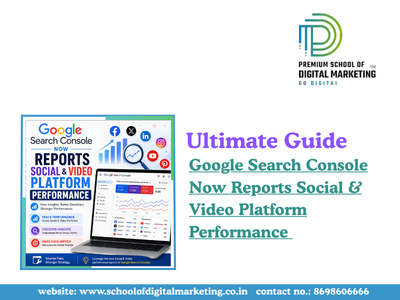
Google has introduced platform properties, a new Search Console property type that lets creators, publishers, and brands track how their Instagram, X, and YouTube content performs on Google Search and Discover even without owning a website.
This update matters because content discovery no longer happens on websites alone. Audiences find Reels, Shorts, and posts directly through Google Search, and until now, that visibility was invisible to creators. With platform properties, Search Console finally connects social publishing with search discovery in one dashboard.
In this guide, you’ll learn what platform properties are, how they work, how to set them up, and how to use this data to improve your search-driven social performance.
What Are Search Console Platform Properties?
Platform properties are a new Search Console property type that shows how social media and video content performs on Google Search and Discover, without requiring website ownership.
Unlike traditional domain or URL-prefix properties, platform properties let you verify content on platforms you don’t control such as Instagram by authorizing your account directly.
Currently, platform properties support three platforms:
- X (formerly Twitter)
- YouTube
Why This Update Matters
Search behavior has changed. People no longer move in a straight line from search to website to social media they jump between formats.
- An Instagram Story can appear in Google Search results.
- A YouTube Short can surface in Google Discover.
Previously, none of this activity was measurable inside Search Console. Now it is.
Why we care: This closes a long-standing visibility gap between SEO teams (who track Search Console) and social teams (who track in-app analytics), giving both sides a shared, comparable data source.
Want to stay ahead of the latest Google Search updates like this one? School of Digital Marketing helps you master SEO, social media, and search trends with hands-on, expert-led training.
Key Reports Inside Platform Properties
Each platform property includes three core sections, mirroring the structure of a standard Search Console property.
- Performance Report
The Performance report is the heart of platform properties.
- Total clicks and impressions
- Average CTR and average position
- Filter and sort by post or search query
- Export data for external analysis
- Insights Report
This gives a high-level snapshot rather than granular data.
- Recent traffic trends over time
- Top-performing posts
- How people discover your account on Google
- Achievements
A milestone-tracking feature that celebrates growth.
- Notifies you when you cross a new click threshold from Google Search
- Measured within a rolling 28-day window
Continue your learning journey check out our next read: How to Use SEO Tools to Boost Your Online Presence & Ranking.
How Platform Properties Measure Different Content Types
Google has clarified exactly how specific formats are counted, which matters for accurate reporting.
| Content Type | Counted as Impression | Counted as Click |
| Instagram Stories | Appears in Google Search results | User clicks the Story in search |
| YouTube Videos | Appears in Search or Discover | User clicks, including Google’s video viewer |
| X Posts | Appears in Search results | User clicks the post link |
Important: Search Console only tracks Google-driven performance it does not measure in-app views, likes, or shares on the native platform itself.
How to Set Up a Platform Property (Step-by-Step)
Setting up a platform property takes just a few minutes.
- Open Google Search Console.
- Go to the property selector dropdown and click “Add property.”
- Choose one platform: Instagram, X, or YouTube.
- Follow the on-screen verification steps to authorize the connection securely.
- Wait a few days for data to begin populating in your reports.
Note: Platform properties are rolling out gradually, so the option may not appear in every account immediately.
Platform Properties vs. Search Profiles
These two features are often confused but serve different purposes.
- Platform properties focus on analytics showing how your posts perform in Search.
- Search profiles are public-facing pages that showcase a creator’s content to followers.
In short: platform properties are for measurement, search profiles are for visibility.
People Also Asked
- What is a Search Console platform property?
A platform property is a Search Console feature that tracks how content from Instagram, X, or YouTube performs on Google Search and Discover, letting creators without a website measure search-driven clicks and impressions.
- Which platforms does Search Console support for social reporting?
Search Console currently supports three platforms: Instagram, X, and YouTube. Google has indicated the rollout is gradual, and more platforms could be added in the future based on demand and feedback.
- Do I need a website to use platform properties?
No. Platform properties are specifically designed for creators and publishers without a verified website, letting them track social and video performance using account-based verification instead of domain ownership.
- How is Instagram Story performance measured in Search Console?
If an Instagram Story appears in Google Search results, it counts as an impression. If a user clicks that Story from search, it counts as a click even though the interaction happens inside Instagram.
- Is platform property data the same as native platform analytics?
No. Platform properties only measure performance driven by Google Search and Discover. They do not include in-app views, engagement, or reach generated directly within Instagram, X, or YouTube.
- How long does it take for platform property data to appear?
After verification, data typically takes a few days to begin populating. The default reporting window for both the Performance and Insights reports is 28 days.
What This Means for Creators, Brands, and SEO Teams
This update signals a broader shift: Search Console is evolving from a website-only tool into a cross-platform search visibility tool.
For creators and publishers, this means:
- Clearer proof of which posts drive search-based discovery
- Query-level insight into what people search for before finding your content
- A data-backed way to prioritize which platform deserves more investment
For SEO and social teams working together, platform properties remove a long-standing blind spot replacing guesswork with shared, comparable metrics.
Final Thoughts
Google Search Console’s move into social and video reporting reflects how people actually discover content today across platforms, not just websites. Platform properties won’t replace native analytics, but they fill a critical gap: understanding how Google Search itself drives traffic to Instagram, X, and YouTube content.
As the rollout continues over the coming weeks, creators and brands that verify early will have a head start in understanding and optimizing for this newly visible layer of search performance.
Want to master SEO and social media search strategies like a pro?
Join our Digital Marketing Course in Pune and learn how to leverage tools like Google Search Console, AI, and cross-platform SEO with 100% placement support.